Category: Uncategorized

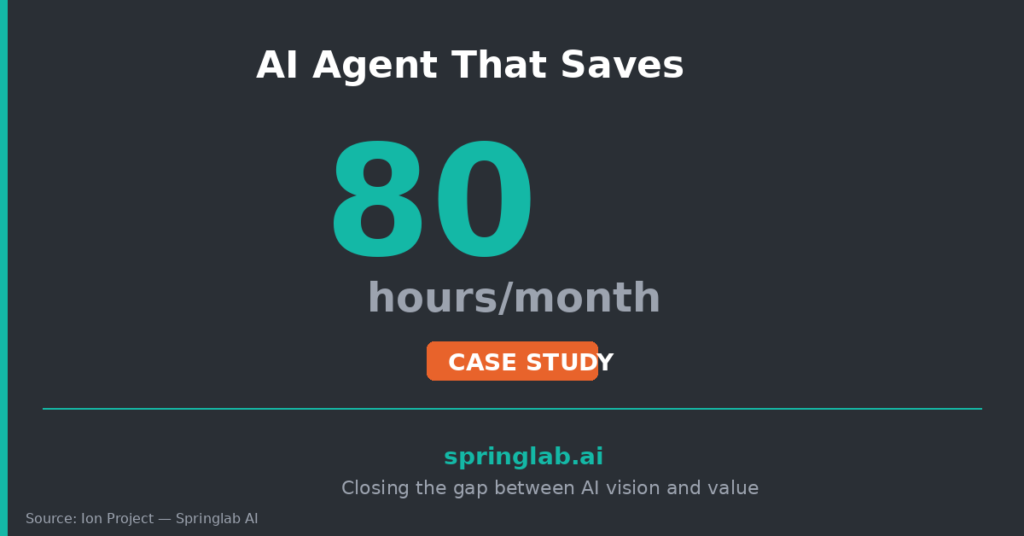
  • How We Built an AI Agent That Saves 80 Hours a Month (Case Study)

    The operations lead at an education and training provider had a problem she’d lived with for years: her team spent more time chasing data than using it.

    Sales results lived in HubSpot. Payments lived in Stripe. Enrolments lived in their LMS. To answer a simple question — “How did we perform last month?” — someone had to pull reports from three systems, manually reconcile the numbers, and build a summary. Every time.

    That process took 20 hours a week. Four people touched it. Errors crept in. And by the time leadership saw the numbers, they were already stale.

    We built Ion to fix it.

    What Ion Does

    Ion is an AI agent that connects to HubSpot, Stripe, and the client’s LMS via live API integration. It doesn’t just pull data — it interprets it.

    Users ask questions in natural language:

    • “What were our sales results last month compared to the month before?”

    • “Which deals have been idle for more than 14 days?”

    • “What’s our 30-day revenue forecast based on current pipeline?”

    • “Show me conversion rates by lead source.”

    Ion returns answers in seconds — with the underlying data visible and auditable.

    How We Built It


    Phase 1: Discovery (1 week)

    We mapped the existing reporting workflow end-to-end:

    • Where does data originate?

    • Who touches it and why?

    • What questions does leadership actually ask?

    • Where do errors and delays occur?

    This phase prevented us from automating the wrong thing.


    Phase 2: Integration (2 weeks)

    We built secure API connections to each system, with:

    • Read-only access (no write operations)

    • Credential encryption and rotation

    • Logging for audit and compliance

    Data stays in the source systems. Ion queries it live — nothing is stored.


    Phase 3: Intelligence Layer (2 weeks)

    We designed the natural language interface across six intelligence domains:

    • Sales results and trends

    • Invoicing and payment status

    • Period-on-period comparisons

    • Pipeline forecasting

    • Enrolment analytics

    • Lost lead intelligence

    Each domain has its own query logic, validated against real business questions.


    Phase 4: Testing & Handover (1 week)

    We ran Ion against historical data to validate accuracy, trained the core users, and documented the system for ongoing maintenance.


    The Results

    • 3 systems connected via a single agent

    • 6 intelligence domains covered

    • 80+ hours saved per month across the team

    • Real-time answers instead of week-old reports

    The operations lead told us: “I used to dread Monday mornings. Now I just ask Ion.”


    Why This Worked

    Ion succeeded because we followed a few principles:

    1. We solved a real pain. Not a theoretical efficiency gain — a task people genuinely hated doing.

    2. We didn’t store data. Governance was built in from day one. No data residency concerns, no new security surface.

    3. We trained the users. An AI agent only works if people trust it. We spent time building that trust through hands-on sessions.

    4. We scoped tightly. Six domains, three systems, one clear use case. We can expand later — but we delivered value first.


    What This Means for Your Organisation

    If your team spends hours pulling data from multiple systems to answer recurring questions, that’s a problem AI agents can solve — today, not someday.

    The build doesn’t take months. It doesn’t require a data science team. It requires clarity on the problem and a partner who can execute.

    Learn more about our case studies

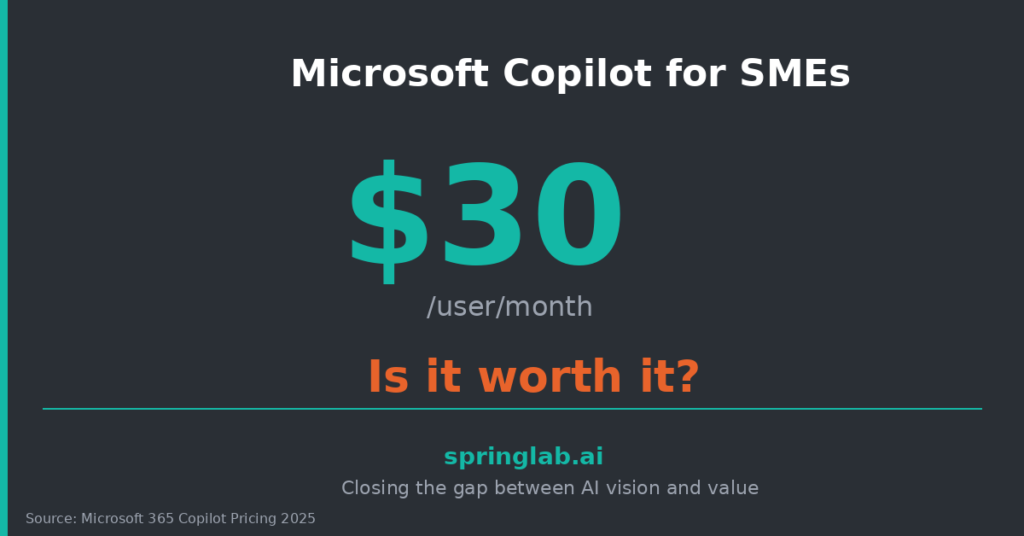
  • Microsoft Copilot for SMEs: Is It Worth $30/User/Month?

    A finance director in Melbourne put the question bluntly: “We’re paying $50 per user per month for Copilot. My CFO wants to know if we’re getting $50 of value. I can’t answer her.”

    She’s not alone. Microsoft Copilot is one of the most widely purchased AI tools in Australia — and one of the least understood in terms of actual ROI.

    Here’s an honest assessment.

    What Copilot Actually Does


    Copilot is Microsoft’s AI assistant embedded across Microsoft 365 apps — Word, Excel, PowerPoint, Outlook, Teams. It can:

    • Draft and edit documents based on prompts

    • Summarise email threads and meetings

    • Generate presentation outlines from briefs

    • Analyse data in Excel with natural language queries

    • Search across your Microsoft 365 environment

    The promise is “your AI assistant for work.” The reality is more nuanced.


    Where Copilot Delivers

    Based on deployments we’ve seen across Australian SMEs, Copilot works best when:


    High email volume

    If your team spends hours in Outlook, the summarisation and drafting features can save 30–60 minutes per day for heavy users.


    Meeting-heavy culture

    Teams meeting summaries and action item extraction are genuinely useful — if people actually read them.


    Document-heavy roles

    Legal, HR, and compliance teams drafting policies, contracts, and reports see real time savings.


    Already deep in Microsoft 365

    Copilot’s value depends on your data being in Microsoft’s ecosystem. If you live in Google Workspace or Notion, the ROI collapses.


    Where Copilot Struggles


    Garbage in, garbage out

    Copilot can only work with data it can access. If your SharePoint is a mess, your OneDrive is personal chaos, or your emails aren’t threaded properly — Copilot reflects that.


    Generic outputs

    The drafts are competent but bland. For anything requiring nuance, brand voice, or expertise, you’ll need heavy editing. It’s a starting point, not a finish line.


    Adoption without training

    According to Gartner’s 2025 Copilot Adoption Study, organisations without structured training see adoption rates below 20%. The tool is powerful — but only if people know how to prompt it effectively.


    Limited customisation

    Copilot doesn’t connect to non-Microsoft systems without additional configuration. If your critical data lives in Salesforce, Xero, or industry-specific platforms, you’ll hit walls.


    The Maths


    Let’s run a simple calculation for a 50-person SME:

    • 50 users × $50/month = $30,000/year

    • If 20% adopt meaningfully (10 users) and each saves 5 hours/month

    • At $80/hour loaded cost = $48,000/year in recovered productivity

    That’s a positive ROI — but only if you hit 20% adoption. At 10% adoption, you’re underwater.

    The question isn’t “is Copilot good?” It’s “can we get enough people using it well enough to justify the spend?”


    The Verdict


    Copilot is worth $50/user/month if:

    • You’re deeply embedded in Microsoft 365

    • You invest in role-specific training

    • You have clean, accessible data

    • You track adoption and hold people accountable


    It’s not worth it if:

    • You’re rolling it out without a plan

    • Your data lives outside Microsoft

    • You’re expecting transformation from a tool alone


    As Microsoft’s own research acknowledges, “Copilot amplifies existing productivity — it doesn’t create it from nothing.”


    The tool is only as good as the adoption strategy around it.

    Learn more about to uplift your Copilot adoption


    Sources: Gartner Copilot Adoption Study 2025; Microsoft Work Trend Index 2025.

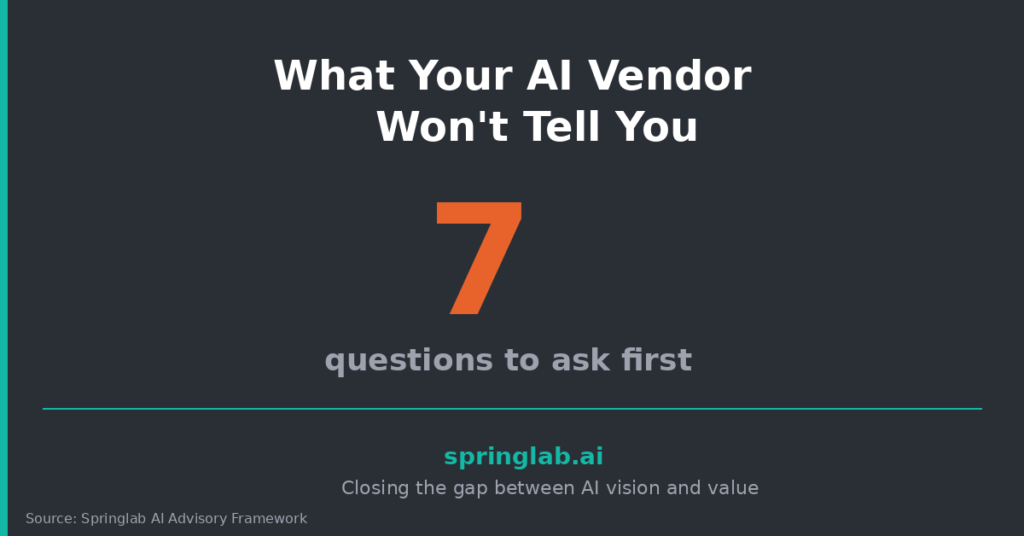
  • What Your AI Vendor Won’t Tell You (Questions to Ask Before You Sign)

    The IT manager was frustrated. They’d signed a 12-month contract with an AI vendor promising “seamless integration” and “enterprise-grade security.” Three months in, they discovered:

    • Integration required $40,000 in custom development — not included in the quote

    • Data was stored on US servers with no Australian data residency option

    • The “AI” was mostly rules-based automation with a thin ML layer

    The vendor hadn’t lied. They’d just let the buyer assume.

    According to Forrester’s 2025 AI Vendor Evaluation Report, 67% of organisations report significant gaps between vendor promises and delivered capabilities. The problem isn’t deception — it’s the questions that never get asked.


    Here are the questions that protect you.


    On Data & Privacy


    1. Where is my data stored and processed?

    If the answer is “our cloud” — push harder. Which region? Which provider? Is Australian data residency available? For many regulated industries, this is non-negotiable.


    2. Is my data used to train your models?

    Some vendors use customer data to improve their AI. If confidentiality matters, you need a contractual carve-out — not just a verbal assurance.


    3. What happens to my data if I leave?

    Can you export everything? In what format? How long do they retain it after contract ends? Get this in writing.


    On Cost


    4. What’s included in the base price — and what isn’t?

    Integration, training, support, API calls, overages. Ask for a full cost breakdown over 24 months, not just Year 1 license fees.


    5. How does pricing scale if usage grows?

    Some models charge per user. Others per API call. Others per document processed. Know the meter before you commit.


    6. What are the exit costs?

    Early termination fees? Data migration costs? Re-implementation burden? Vendor lock-in is expensive.


    On Capability


    7. What exactly is “AI” in your product?

    Is it machine learning? Large language models? Rules-based automation branded as AI? There’s nothing wrong with simpler approaches — but know what you’re buying.


    8. Can I see a customer reference in my industry?

    Case studies are marketing. References are reality. Ask to speak with someone who’s been live for 6+ months.


    9. What does implementation actually look like?

    Timeline, resources required from your side, dependencies, common failure points. If the vendor can’t answer this clearly, they haven’t done it enough times.


    On Support


    10. What’s included in support — and what’s extra?

    Response times, escalation paths, dedicated account management, training refreshers. Get the SLA in the contract, not just the pitch deck.


    11. Who will I actually be working with?

    Sales teams are charming. Implementation teams are who you’ll live with. Ask to meet them before you sign.


    12. What happens when something goes wrong?

    AI outputs can be unpredictable. What’s the process for reporting errors, getting fixes, and preventing recurrence?


    The Meta-Question


    After all the specifics, ask one more:

    “What’s the most common reason your customers fail to get value from this product?”

    A good vendor will answer honestly — because they’ve learned from it. A bad vendor will deflect.

    The goal isn’t to catch vendors out. It’s to make a decision with eyes open — not assumptions intact.

    Learn more about AI tool selection criteria and consideration

    Sources: Forrester AI Vendor Evaluation Report 2025.

  • AI Roadmap and Strategy in 5 Days: What Actually Happens in an AI Sprint


    A CEO in Geelong asked me a question I appreciated for its honesty: “I’ve been burned by consultants before. What would I actually get if we worked together?”

    Fair question. The AI consulting market is crowded with vague promises, inflated timelines, and deliverables that sit in drawers.

    Here’s exactly what happens in a 5-day AI sprint — no fluff, no black boxes.


    The Structure: 3 Days On-Site, 2 Days Off-Site


    We designed this model for mid-market organisations that need answers fast but can’t host consultants for months. The alternating rhythm gives you focused engagement without operational disruption.


    Day 1: Discovery & Diagnosis (On-Site)


    We start by listening — not presenting.


    What happens:

    • Stakeholder interviews across leadership, IT, and operations (typically 6–10 conversations)

    • Voice of Customer capture: what’s working, what’s frustrating, where’s the friction

    • AI maturity assessment: current tools, usage patterns, data readiness, governance gaps

    • Pain point mapping: identify the 5–10 workflows that hurt most

    By end of Day 1, we know more about your AI landscape than most internal teams do — because we’re asking different questions.


    Day 2: Analysis & Strategy Draft (Off-Site)

    We take everything from Day 1 and turn it into structure.


    What happens:

    • Synthesise findings into themes and patterns

    • Prioritise use cases by impact, effort, and readiness

    • Draft AI strategy aligned to your business objectives

    • Build initial governance framework (decision rights, risk controls, policy outline)

    • Prepare 90-day implementation roadmap with owners and milestones

    This is heads-down work. No meetings. Just output.


    Day 3: Playback & Roadmap Sign-Off (On-Site)

    We come back with a draft strategy and pressure-test it with your team.


    What happens:

    • Playback findings to leadership (usually 90 minutes)

    • Present the prioritised use case roadmap

    • Run an executive awareness workshop: “What AI can and can’t do for us”

    • Capture feedback and refine recommendations in real time

    • Agree on final scope and deliverables

    This is the alignment day. By the end, leadership is on the same page — literally and figuratively.


    Day 4: Finalise Deliverables (Off-Site)

    We polish everything into client-ready documents.


    What you receive:

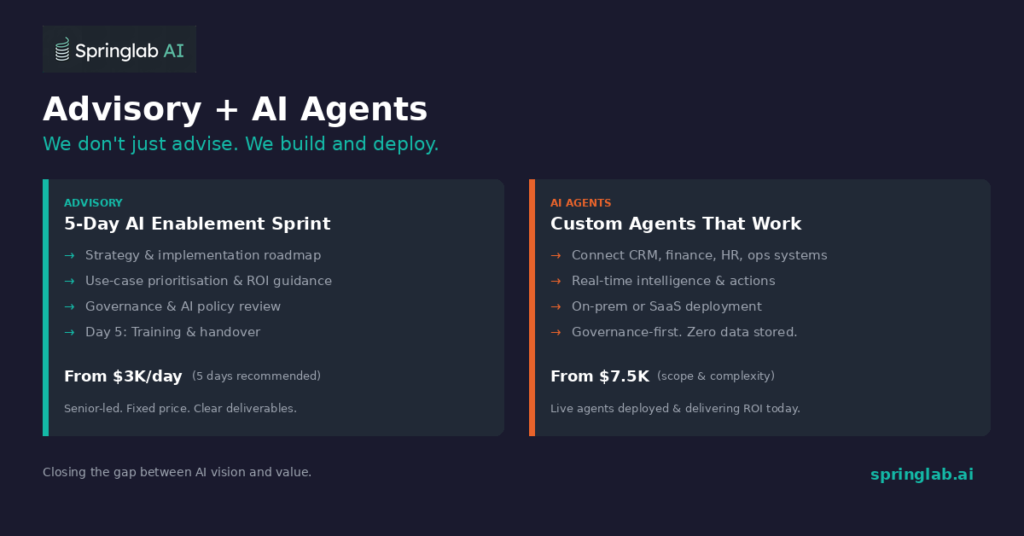
    • AI Strategy Document (10 pages): strategic context, prioritised opportunities, implementation approach

    • Implementation Roadmap: phased 90-day plan with owners, milestones, dependencies

    • Governance AI Use Policy: data handling, risk controls, compliance guardrails

    • ROI Guidance Template: variables and assumptions model to justify investment

    • Adoption Playbook: change management plan, champion identification, training toolkit


    Day 5: Training & Handover (On-Site)

    Most consultants hand over a PDF and leave. We don’t.


    What happens:

    • Prompt engineering masterclass for power users

    • AI champion enablement session

    • Role-specific training for priority teams

    • Handover meeting with next steps, owners, and support options

    You leave Day 5 with a team that knows what to do — and has already started doing it.


    Why 5 Days Works

    Traditional strategy engagements take 8–12 weeks and cost six figures. By the time the report lands, priorities have shifted.


    The 5-day model works because:

    • Speed creates momentum — decisions happen while context is fresh

    • Fixed scope prevents bloat — you know exactly what you’re getting

    • Senior delivery means quality — no handoffs to junior analysts


    As Gartner noted in their 2025 AI Consulting Landscape Report, “Time-boxed AI sprints outperform extended engagements on stakeholder satisfaction and implementation speed.”

    Learn more about our 5-Day AI Sprint

    Sources: Gartner AI Consulting Landscape Report 2025.

  • The Hidden Cost of Shadow AI (And How to Get Control Back)


    A partner at a mid-sized accounting firm discovered something troubling during a routine client audit.

    One of their senior consultants had been using ChatGPT to draft client advice letters — uploading financial statements, strategic plans, and confidential projections to a free AI tool with no enterprise agreement, no data processing terms, and no visibility to IT.

    The consultant wasn’t malicious. He was just trying to work faster. But the firm now faced a potential breach of client confidentiality — and had no idea how many other staff were doing the same thing.

    This is shadow AI. And it’s everywhere.


    The Numbers Are Alarming

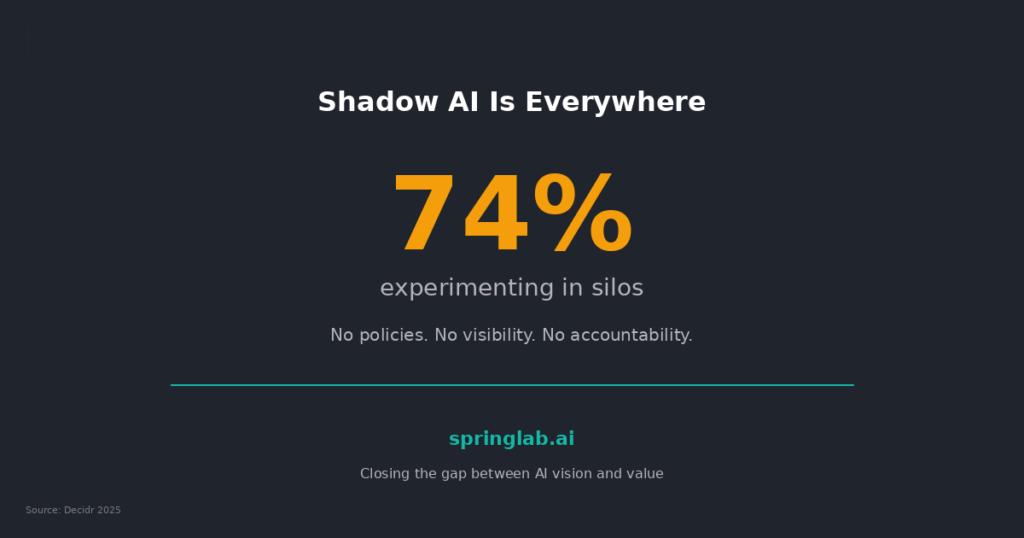
    • 74% of organisations have employees using AI tools without formal approval, according to Gartner’s 2025 AI Governance Survey.

    • 32% of Australian SMEs experienced a security incident in 2025 — double the rate from 2024, per the ACSC Annual Threat Report.

    • Only 26% of SMEs have any AI usage policy in place, based on the Decidr AI Readiness Index 2025.

    The risk isn’t hypothetical. It’s happening now, in your organisation, without your knowledge.


    Why Shadow AI Spreads

    People use unsanctioned AI tools for one reason: the approved options aren’t good enough — or don’t exist.

    • IT hasn’t provided an alternative that solves their problem

    • The approval process for new tools takes months

    • Leadership hasn’t said what’s allowed and what’s not

    In the absence of clear guidance, people make their own decisions. And those decisions don’t always account for data security, client confidentiality, or regulatory compliance.


    What’s Actually at Stake

    Shadow AI creates three categories of risk:


    1. Data leakage

    When employees paste sensitive information into consumer AI tools, that data may be stored, logged, or used for model training — depending on the provider’s terms. You lose control of where your IP and client data ends up.


    2. Compliance exposure

    If you operate in a regulated industry (finance, health, legal), using AI tools without proper agreements can breach Privacy Act obligations, professional conduct rules, or contractual NDAs.


    3. Inconsistent outputs

    When everyone uses different tools with different prompts, you get inconsistent quality, tone, and accuracy. That’s a brand risk and a liability.


    How to Get Control Back


    Step 1: Find out what’s actually being used

    Run a short, anonymous survey: “Which AI tools have you used for work in the past 3 months?” You’ll be surprised by the answers. This isn’t about punishment — it’s about visibility.


    Step 2: Publish a simple AI use policy

    You don’t need 30 pages. You need one page that answers:

    • What tools are approved?

    • What data can and can’t be shared with AI?

    • Who do I ask if I’m unsure?

    Make it visible. Put it in onboarding. Reference it in team meetings.


    Step 3: Provide a sanctioned alternative

    If you ban ChatGPT but offer nothing in return, people will ignore you. Provide an approved tool — Copilot, Claude for Enterprise, or a purpose-built agent — that meets their needs within guardrails.


    Step 4: Appoint someone accountable

    Shadow AI thrives in the absence of ownership. Assign a person (not a committee) responsible for AI governance. Give them authority to make decisions and visibility across the organisation.


    The Opportunity Hidden in the Risk

    Shadow AI isn’t just a problem — it’s a signal. It tells you where your teams are looking for help and not finding it through official channels.

    As MIT Sloan’s 2025 AI Governance Study noted, “Organisations that respond to shadow AI with enablement rather than prohibition see 40% higher adoption of sanctioned tools.”

    Meet people where they are. Give them something better. Then set the rules.

    Learn more about our views on AI governance policy and experience in enabling Responsible and Safe AI

    Sources: Gartner AI Governance Survey 2025; ACSC Annual Threat Report 2025; Decidr AI Readiness Index 2025; MIT Sloan AI Governance Study 2025.

  • Build vs Buy vs Partner: How SMEs Should Approach AI Agents


    A CEO in Adelaide asked me a question I hear almost every week: “Should we build our own AI, buy something off the shelf, or work with a partner?”

    Behind the question was a deeper anxiety — the fear of making the wrong call. Building sounds expensive. Buying feels generic. Partnering means trusting someone else with critical systems.

    There’s no universal right answer. But there is a decision framework that makes the choice clearer.


    First: What Are We Actually Talking About?

    An AI agent is software that connects to your business systems — CRM, finance, HR, operations — and performs tasks autonomously. It might answer customer queries, process invoices, flag risks, or generate reports.

    According to Gartner’s 2025 AI Agents Market Guide, by 2027, 50% of enterprises will use AI agents for at least one core business process. For SMEs, the question isn’t if — it’s how.


    Option 1: Build

    When it makes sense:

    • You have a unique workflow that no off-the-shelf product addresses

    • You have in-house engineering capacity (or budget to hire it)

    • You want full control over data, logic, and IP


    Watch out for:

    • Underestimating maintenance costs — AI models need ongoing tuning

    • Time to value — custom builds take 6–12 months minimum

    • Key-person risk — what happens when your one AI engineer leaves?

    Build is best for organisations with differentiated processes and long-term technical investment appetite.


    Option 2: Buy

    When it makes sense:

    • Your use case is common (customer support, document processing, sales enablement)

    • You need to move fast — weeks, not months

    • You want predictable pricing and vendor support


    Watch out for:

    • Vendor lock-in — can you export your data if you switch?

    • Limited customisation — the tool works for 80% of your process, but not the 20% that matters

    • Hidden costs — integration, training, and API fees add up

    Buy is best when the problem is well-defined and the tool is proven in your industry.


    Option 3: Partner

    When it makes sense:

    • You need custom capability but don’t have in-house expertise

    • You want a solution tailored to your workflows and data

    • You value speed and want to deploy in weeks, not quarters


    Watch out for:

    • Dependency on the partner — what happens after handover?

    • Governance gaps — who owns the model, the data, the outputs?

    • Scope creep — clear deliverables matter

    Partner is best when you need tailored AI but lack internal capability to build it yourself.


    The Decision Filter

    Ask these five questions:

    1. Is our use case unique or common? Unique → Build or Partner. Common → Buy.

    2. Do we have internal AI/ML capability? Yes → Build. No → Buy or Partner.

    3. How fast do we need results? 3+ months → Build. Weeks → Buy or Partner.

    4. How critical is customisation? High → Build or Partner. Low → Buy.

    5. What’s our risk tolerance? High → Build. Low → Buy or Partner with clear SLAs.


    What We’re Seeing in Australian SMEs

    Most mid-market organisations (50–500 employees) don’t have dedicated AI teams. Building from scratch rarely makes sense. The choice is usually between buying a platform and adapting to its constraints — or partnering to get something tailored without the full build burden.

    We’ve built AI agents like Ion (connecting CRM, payments, and enrolment systems) and Orbit (automating assessment grading in education) for organisations that needed more than off-the-shelf but couldn’t justify a full engineering hire.

    The right answer depends on your context. But the worst answer is no decision at all — because while you’re deliberating, your competitors are deploying.

    Learn more about our AI SaaS Platform

    Sources: Gartner AI Agents Market Guide 2025.

  • How to Get Your Team to Actually Use AI (Not Just Talk About It


    The operations manager at a Perth-based construction supplier was tired of hearing about AI.

    “We’ve done the workshops. We’ve got the tools. My team nods along — and then goes back to doing everything manually.”

    Sound familiar? You’re not alone.

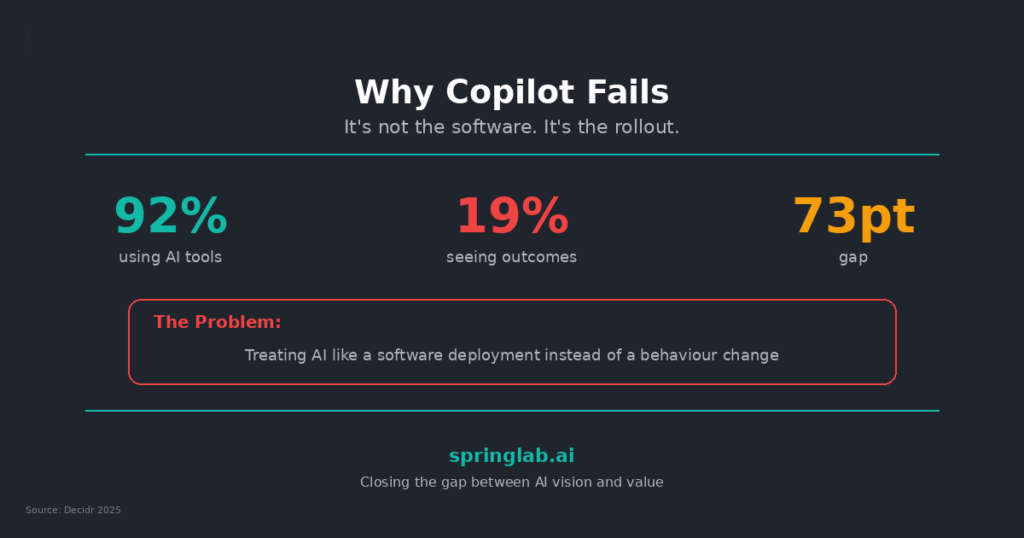
    According to the Decidr National AI Readiness Index 2025, 92% of Australian SMEs now have access to generative AI tools like ChatGPT or Copilot. But only 19% report using them in ways that drive measurable business outcomes.

    The gap isn’t access. It’s adoption. And adoption is a people problem, not a technology one.


    Why Teams Resist (Even When the Tool Is Good)

    Before you blame your staff, understand what’s actually happening:

    • Fear of looking incompetent: “What if I use it wrong and someone notices?”

    • Lack of relevance: “This doesn’t help me do my actual job faster.”

    • Unclear permission: “Am I even allowed to use this for client work?”

    • Change fatigue: “This is the third new tool this year. I’ll wait and see if it sticks.”

    None of these are solved by another webinar. They’re solved by deliberate, structured change management.


    The 4 Moves That Drive Real Adoption

    1. Start with one workflow, not one tool

    Don’t roll out “AI” — roll out a solution to a specific pain.

    Instead of: “Here’s Copilot — it does lots of things.”

    Try: “Here’s how you can generate your weekly site report in 5 minutes instead of 45.”

    Specificity wins. Every time.


    2. Train in context, not in theory

    Generic AI training doesn’t stick. Role-specific training does.

    Run 60-minute sessions with real data, real documents, and real prompts. Let people make mistakes in a safe environment. Then follow up in two weeks.

    According to Harvard Business Review’s 2025 Workforce AI Study, contextual training increases tool adoption rates by 3.2x compared to generic onboarding.


    3. Create an AI champion (not a committee)

    You don’t need an AI council. You need one person in each team who:

    • Uses the tool visibly

    • Answers questions from peers

    • Shares quick wins in team meetings

    • Flags problems before they fester

    This isn’t a formal role. It’s a cultural signal that AI is part of how we work here.


    4. Make it safe to experiment

    If people fear being judged for a bad prompt or a weird output, they won’t try.

    Set the tone from leadership: “We expect mistakes. That’s how we learn what works.”

    And publish a simple AI use policy so people know what’s allowed — and what’s not.


    The Quick Win That Changes Momentum

    Find one sceptic. Help them automate one annoying task. Let them tell the story.

    Nothing moves adoption faster than a peer saying: “This thing just saved me 3 hours.”

    You can have the best AI tools in the market. But if your team isn’t using them, you’re paying for potential — not results.

    As Gartner noted in their 2025 AI Adoption Report, “The organisations winning with AI aren’t the ones with the most advanced technology. They’re the ones with the most deliberate adoption strategies.”

    Learn more about our 5-Day AI Sprint

    Sources: Decidr National AI Readiness Index 2025; Harvard Business Review Workforce AI Study 2025; Gartner AI Adoption Report 2025.

  • 5 Signs Your AI Pilot Is About to Fail (And How to Save It)


    The CTO of a Sydney-based professional services firm called us three months into their AI pilot. Her voice carried that specific mix of frustration and resignation.

    “We launched with so much energy,” she said. “Now I can’t get anyone to return my emails about it.”

    She wasn’t describing a technology failure. The platform worked. The integrations were solid. The problem was everything around it.

    According to Stanford’s 2025 AI Index Report, only 6% of enterprises successfully move AI pilots into production. The other 94% stall, quietly get shelved, or become expensive experiments that leadership doesn’t want to talk about.

    Here are the five warning signs we see most often — and what to do about each.


    Sign 1: Nobody Can Explain Why It Matters

    Ask three people on the pilot team what success looks like. If you get three different answers — or worse, blank stares — you have a clarity problem.

    The fix: Define one measurable outcome in plain language. Not “improve efficiency” but “reduce invoice processing time from 4 hours to 1 hour per week.” If you can’t measure it, you can’t prove it worked.


    Sign 2: The Sponsor Has Gone Quiet

    Every successful AI project needs an executive sponsor who stays visible. When that person stops attending updates, stops asking questions, or delegates to someone junior — the project is losing air cover.

    The fix: Re-engage the sponsor with a 10-minute brief. Show them one quick win, one risk, and one decision you need from them. Make it easy to stay involved.


    Sign 3: Users Aren’t Using It

    You’ve built it. You’ve launched it. And the adoption dashboard shows a flatline.

    Gartner’s 2025 research shows that 78% of AI tool underutilisation traces back to poor change management — not poor technology.

    The fix: Go back to users and ask: what’s stopping you? Is it training? Is it trust? Is it relevance? Often the tool solves a problem nobody actually has. Better to learn that now than after renewal.


    Sign 4: The Data Is a Mess

    You can’t automate a broken process. If the AI is producing inconsistent outputs, hallucinating, or requiring constant manual correction, the issue is usually upstream — in your data quality, structure, or access.

    The fix: Pause the pilot. Run a data readiness check. You may need to clean, tag, or restructure inputs before automation will work reliably. It’s not glamorous, but it’s non-negotiable.


    Sign 5: No One Owns What Happens Next

    The pilot finishes. The vendor sends a summary. And then… nothing. No scale plan. No budget ask. No roadmap.

    The fix: Before the pilot ends, document: What worked? What didn’t? What’s needed to scale? Who owns the next phase? If those answers don’t exist, the pilot dies by neglect.


    The Bigger Picture

    A failed pilot isn’t always a waste. Sometimes it’s the fastest way to learn what your organisation isn’t ready for. But most pilots don’t fail because the idea was wrong — they fail because the conditions for success were never set up.

    As MIT Sloan’s 2025 AI Leadership Study noted, “The bottleneck in AI adoption is rarely the algorithm. It’s the organisation.”

    If you’re seeing any of these signs, now is the time to act — not after the budget review.

    Learn more about our 5-Day AI Sprint

    Sources: Stanford AI Index Report 2025; Gartner Digital Workplace Survey 2025; MIT Sloan AI Leadership Study 2025.

  • How to Calculate AI ROI Before You Spend a Dollar


    A CFO in Brisbane sat across the table from me last month with a familiar look — equal parts scepticism and exhaustion.

    “Every vendor tells me AI will transform the business,” she said. “None of them can tell me what it’ll actually save us.”

    She wasn’t wrong to be frustrated. According to McKinsey’s 2025 Global AI Survey, 74% of executives say they struggle to quantify AI’s business value before committing to investment. In Australia, the Decidr AI Readiness Index found that 57% of SMEs treat AI as a cost to manage rather than a growth lever — largely because nobody’s shown them the maths.


    Here’s the framework we use to fix that.


    The 4-Step ROI Framework

    Before you sign a contract or approve a pilot, answer these four questions:

    Step 1: What’s the problem costing you today?

    Don’t start with AI. Start with the workflow.

    Pick a process your team complains about regularly — invoice processing, customer query triage, report generation. Then quantify:

    • How many hours per week does this consume?

    • How many people are involved?

    • What’s the loaded cost per hour (salary + overheads)?

    Example: A 3-person finance team spends 15 hours/week on manual invoice matching. At $85/hour loaded cost, that’s $66,300/year on one task.


    Step 2: What’s the realistic improvement?

    Be conservative. Vendors love to promise 80% efficiency gains. Reality is usually 30–50% for well-scoped automation.

    For the invoice example: if AI reduces manual effort by 40%, you recover 6 hours/week — saving $26,520/year.


    Step 3: What’s the total cost of implementation?

    Include everything:

    • Software licenses (annual)

    • Integration and setup costs

    • Training time (hours × people × hourly rate)

    • Ongoing maintenance or support fees

    Example: Copilot at $50/user/month for 3 users = $1,800/year. Setup and training = $5,000. Total Year 1 cost = $6,800.


    Step 4: Calculate the payback

    Simple formula:

    Net Benefit = Annual Savings – Annual Cost

    ROI = (Net Benefit / Total Investment) × 100

    Using our invoice example:

    • Year 1 savings: $26,520

    • Year 1 cost: $6,800

    • Net benefit: $19,720

    • ROI: 290%

    That’s a business case a CFO can approve in one meeting.


    The Traps to Avoid

    When we review AI business cases that failed to get funded, we see the same mistakes:

    • Vague benefits: “Improved productivity” doesn’t mean anything. Quantify in hours or dollars.

    • Ignoring adoption costs: Training is never free. Neither is the productivity dip during the learning curve.

    • Overpromising: A 70% automation rate sounds great until you miss it by half and lose credibility for the next project.


    A Quick Sanity Check

    Before you pitch any AI investment, run it through this filter:

    • Can I explain the current cost in one sentence?

    • Is the improvement assumption defensible (not just vendor claims)?

    • Have I included all implementation costs — not just licenses?

    • Does the ROI hold even if results are 30% below expectation?

    If yes to all four, you’ve got a case worth making.


    The Bottom Line

    AI isn’t magic. It’s maths. And the organisations getting real value from it aren’t the ones chasing hype — they’re the ones who can show the numbers before they spend.

    As Gartner noted in their 2025 AI Value Realisation Report, companies that establish clear ROI frameworks before implementation are 2.4x more likely to scale AI beyond pilot.

    Start with the problem. Quantify the pain. Model the fix. Then decide.

    Learn more about our 5-Day AI Sprint

    Sources: McKinsey Global AI Survey 2025; Decidr National AI Readiness Index 2025; Gartner AI Value Realisation Report 2025.

  • We Bought 100 Copilot Licenses and Nobody’s Using Them. Here’s What We Did.


    Last year, a Melbourne-based logistics company made a decision that felt like a no-brainer. With 100 employees and a growing tech stack, they invested in Microsoft Copilot licenses for the entire team. The promise was compelling: AI-powered productivity, smarter workflows, time savings across the board.

    Six months later, their IT director pulled the usage report.

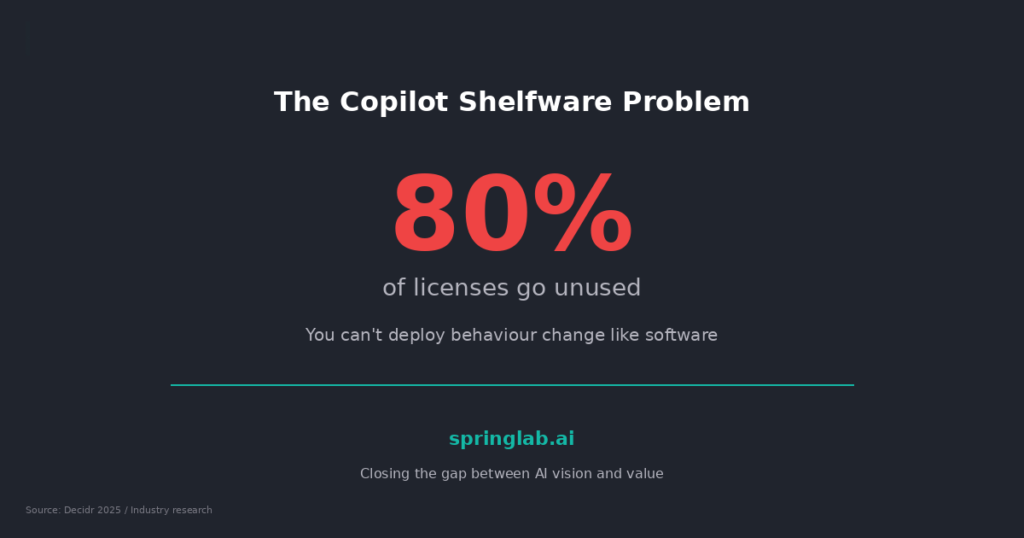
    Of 100 licenses, 87 had never been activated. The remaining 13 were used sporadically — mostly for email drafting. They were spending $60,000 a year on software nobody touched.

    This isn’t an isolated case. It’s the norm.


    The Numbers Tell the Story

    • Only 3.3% of the Microsoft 365 user base has adopted Copilot, according to Gartner’s 2025 Digital Workplace Survey.

    • 78% of Australian SMEs report purchasing AI tools they later underutilised, per the Decidr National AI Readiness Index 2025.

    • The average enterprise wastes $54,000 annually on unused AI licenses, based on industry estimates from Forrester.


    The problem isn’t the technology. It’s how it’s introduced.


    What Actually Went Wrong

    When we worked with the logistics company to diagnose the issue, we found three root causes:


    1. No clear use case communicated. Staff were told “you now have Copilot” but not why it mattered to their specific role. A warehouse coordinator doesn’t care about AI — they care about finishing dispatch reports faster.


    2. No training beyond a webinar link. A 45-minute generic video doesn’t teach a finance manager how to use Copilot for month-end reconciliation. Role-specific enablement was missing entirely.


    3. No internal champion. There was no one in the business responsible for driving adoption, answering questions, or celebrating quick wins. The rollout was “IT’s project” — and IT had moved on.

    The Fix: Three Moves That Changed Everything

    Over a focused engagement, we helped them turn adoption from 13% to 68% in 90 days. Here’s what worked:


    1. Identify the pain, not the tool

    We interviewed team leads across operations, finance, and customer service. The question wasn’t “do you want to use AI?” — it was “what task do you dread doing every week?” That gave us five high-value use cases in 48 hours.


    2. Train by role, not by feature

    Instead of generic workshops, we ran 90-minute sessions tailored to each function. The sales team learned how to draft proposals. Finance learned Excel integrations. Customer service learned email triage. Relevance drives retention.


    3. Appoint an AI champion

    We helped them identify and enable an internal advocate — someone respected by peers, curious about tech, and willing to be the first call when things didn’t work. That single move reduced support tickets by 40%.


    The Takeaway for Australian SMEs

    If you’ve invested in Copilot, ChatGPT Enterprise, or any AI platform and adoption has stalled, you’re not alone. According to Stanford’s 2025 AI Index Report, only 6% of organisations successfully move AI projects from pilot to production.

    The gap isn’t technical capability. It’s change management.


    Before you renew those licenses or buy more seats, ask yourself:

    • Do we have clear, role-specific use cases documented?

    • Have we trained people on their workflows, not just the tool?

    • Is someone accountable for adoption — not just implementation?

    If the answer to any of those is “no,” that’s where to start.

    Learn more about our 5-Day AI Sprint

    Sources: Gartner Digital Workplace Survey 2025; Decidr National AI Readiness Index 2025; Forrester AI Adoption Benchmark 2025; Stanford AI Index Report 2025.